
0.4
Eine Jahresansicht, Google, Apple und Notion, Teilnehmende
Dieses Release bringt eine Jahresansicht, verbindet Mitra mit den Kalendern, die die meisten Menschen schon haben, Google, Apple und Notion, holt Menschen in deine Termine und macht Mitra auf dem Handy heimisch.
Jahresansicht
Das ganze Jahr auf einem Bildschirm, jeder Tag eine kleine Zelle, um die freie Woche zu finden oder eine Jahreszeit auf einmal zu sehen.
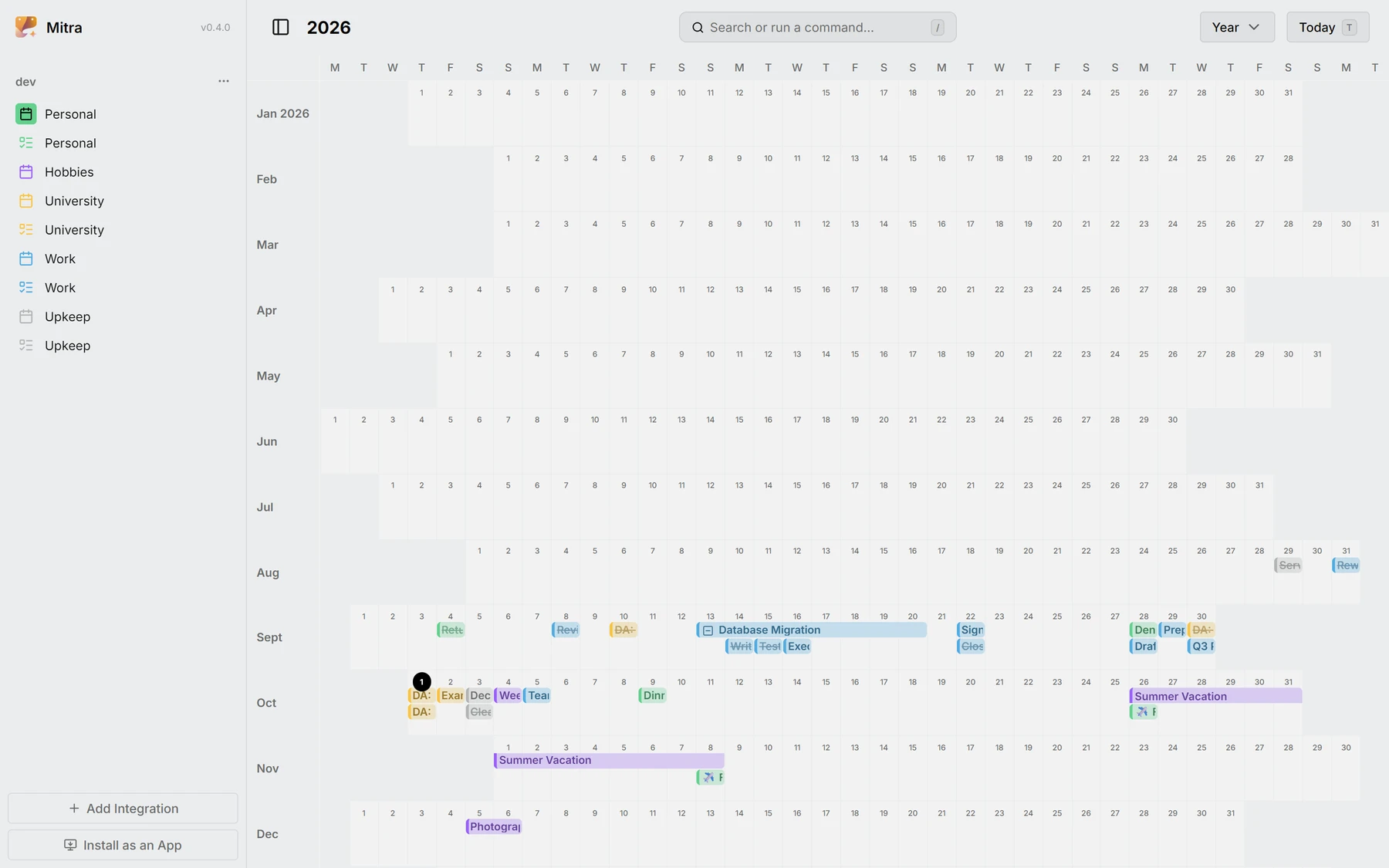
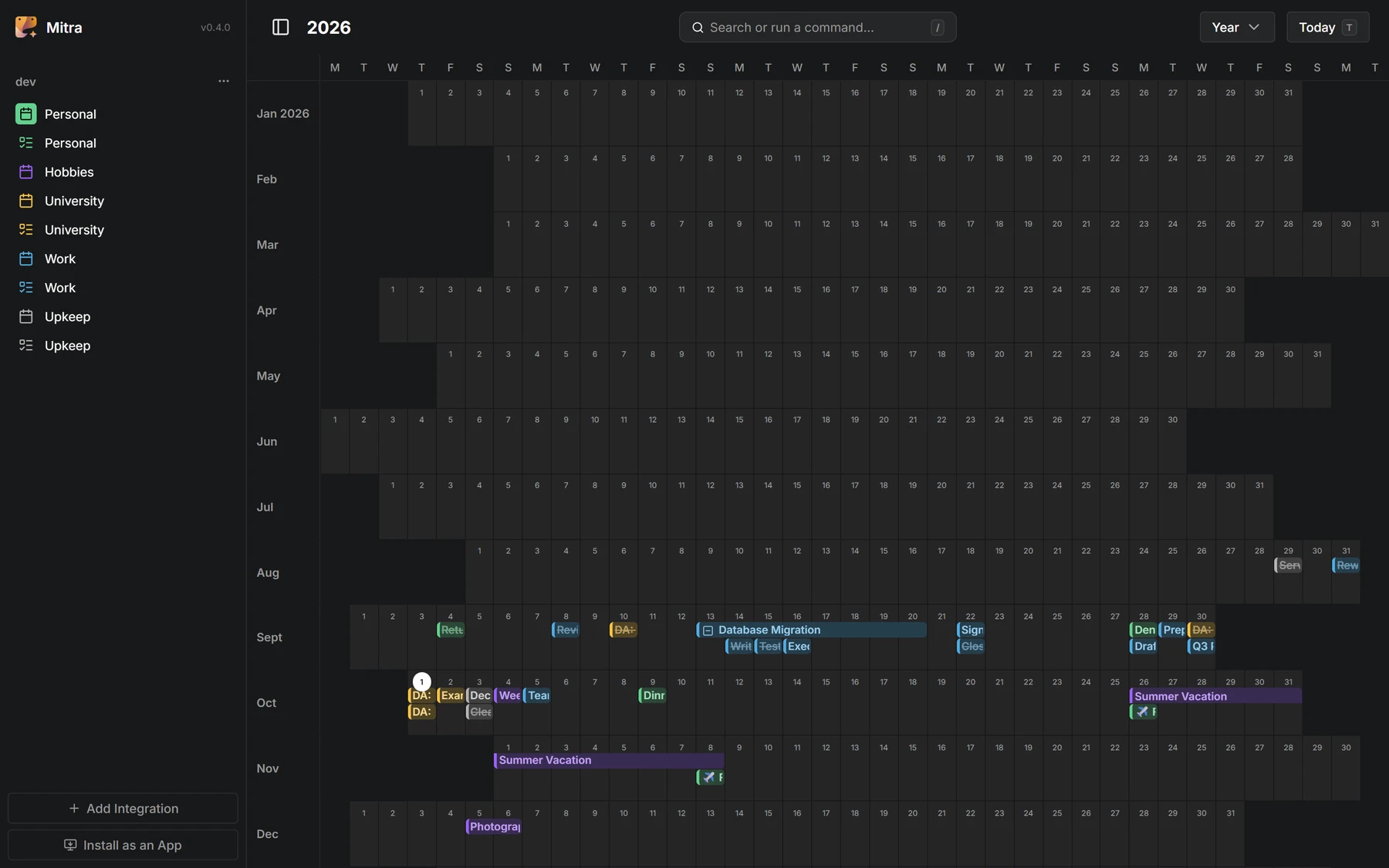
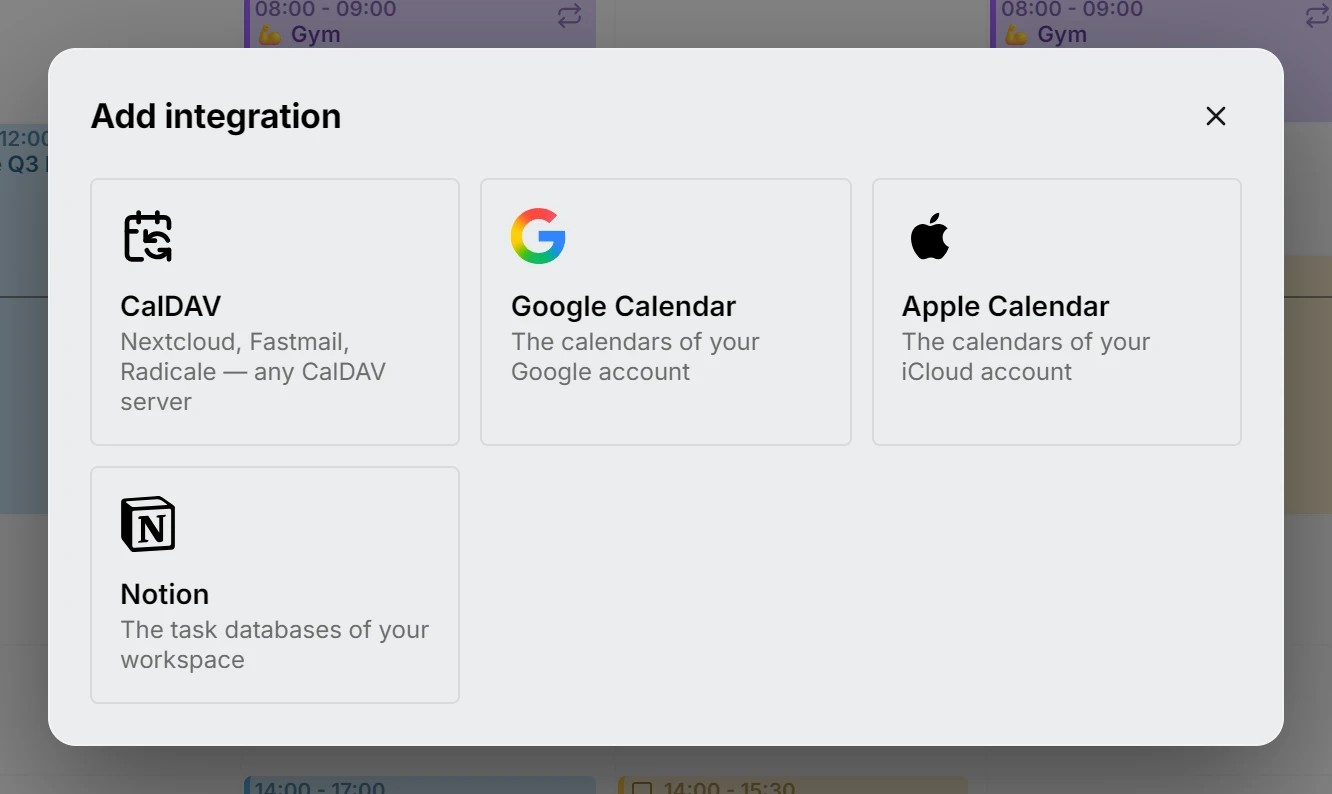
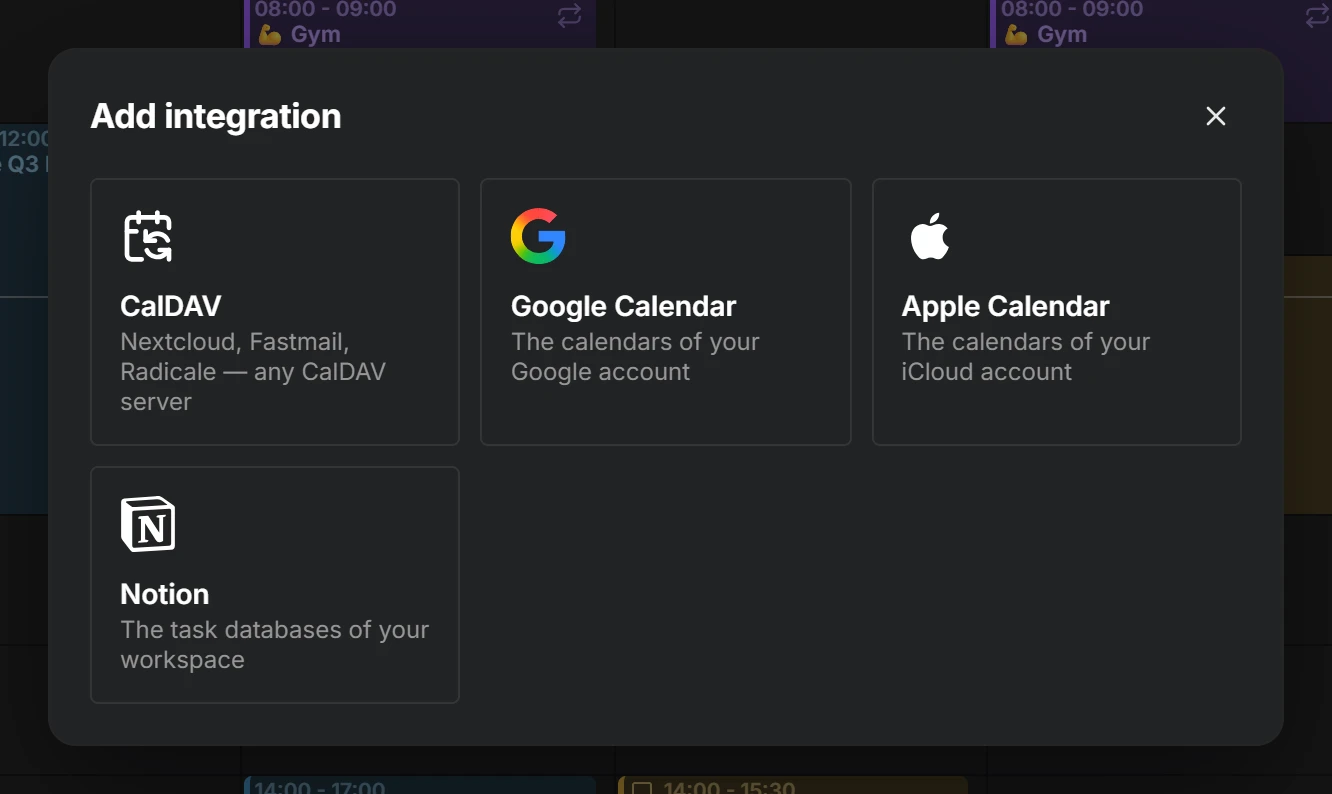
Google Calendar, Apple Calendar und Notion
Melde dich mit Google an, füge ein App-spezifisches Passwort für iCloud hinzu oder füge ein Notion-Token ein, und deine Kalender und Datenbanken stehen nebeneinander in einer Woche. Eine Notion-Ansicht wird zu einem Kalender, und der Inhalt einer Seite wird zur Beschreibung ihres Eintrags.
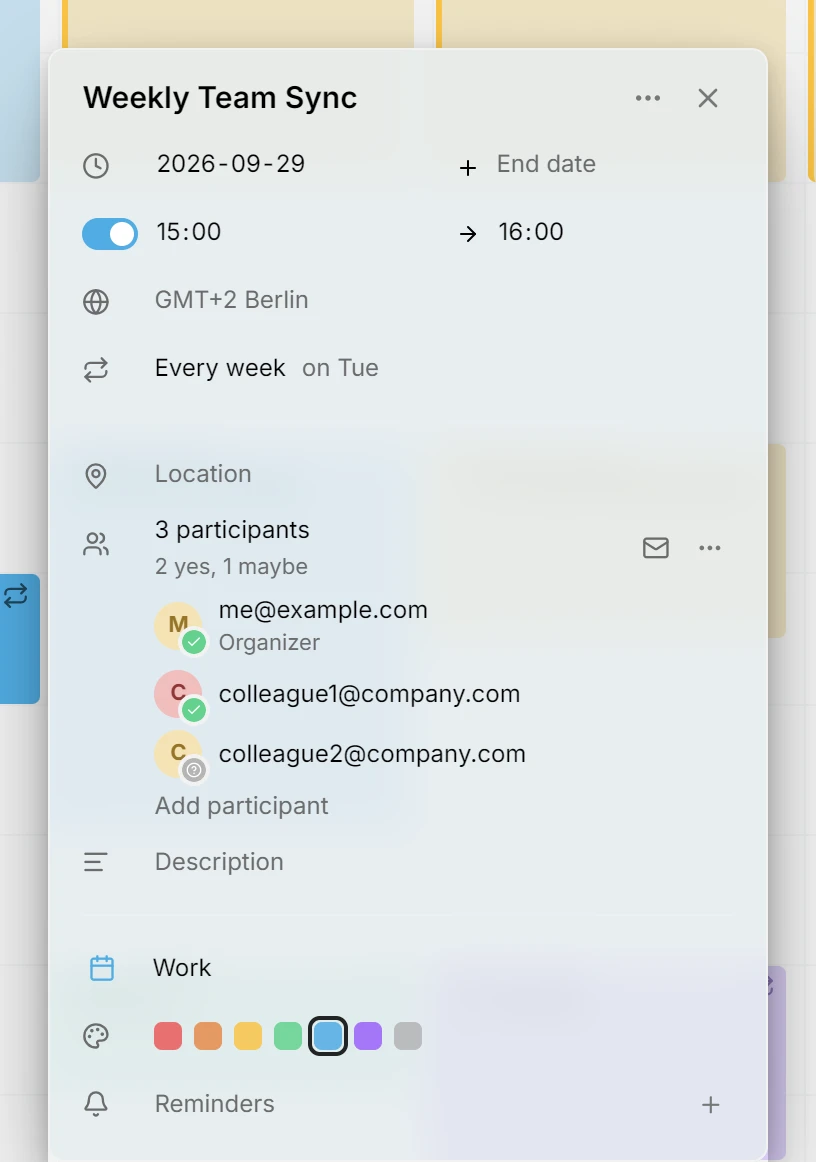
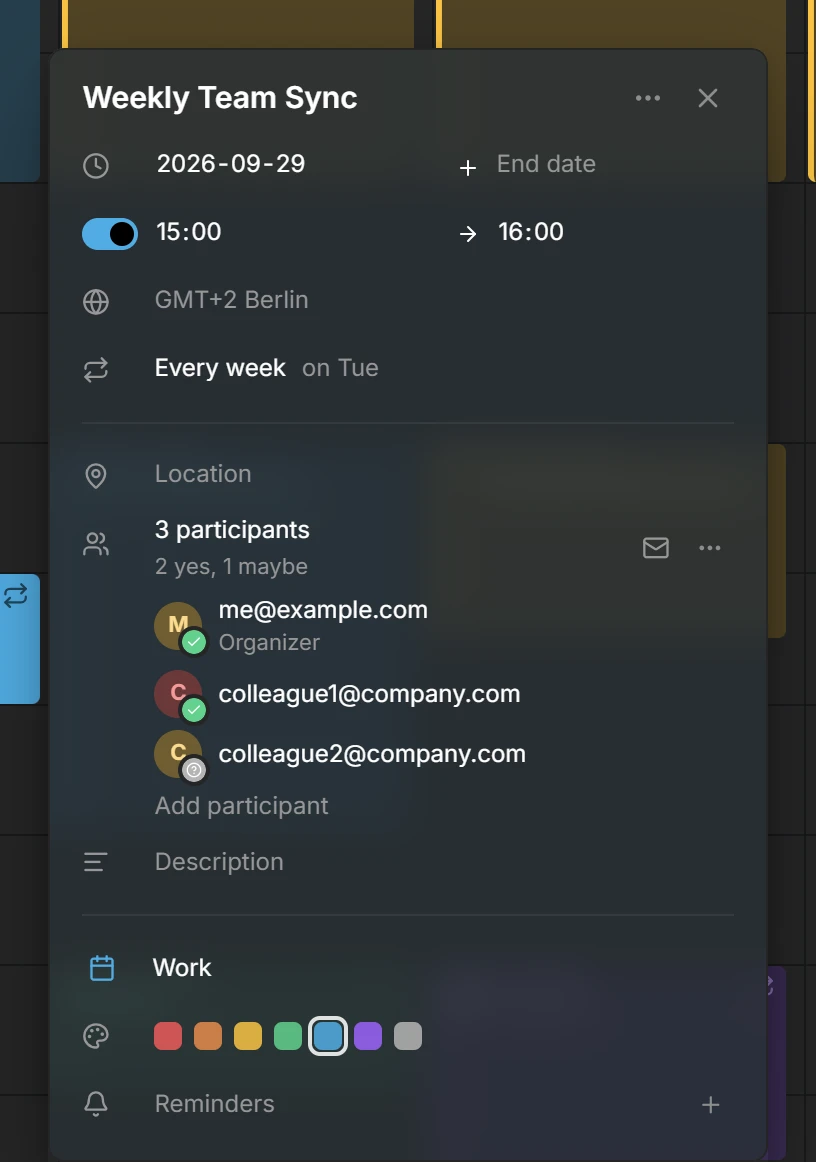
Teilnehmende
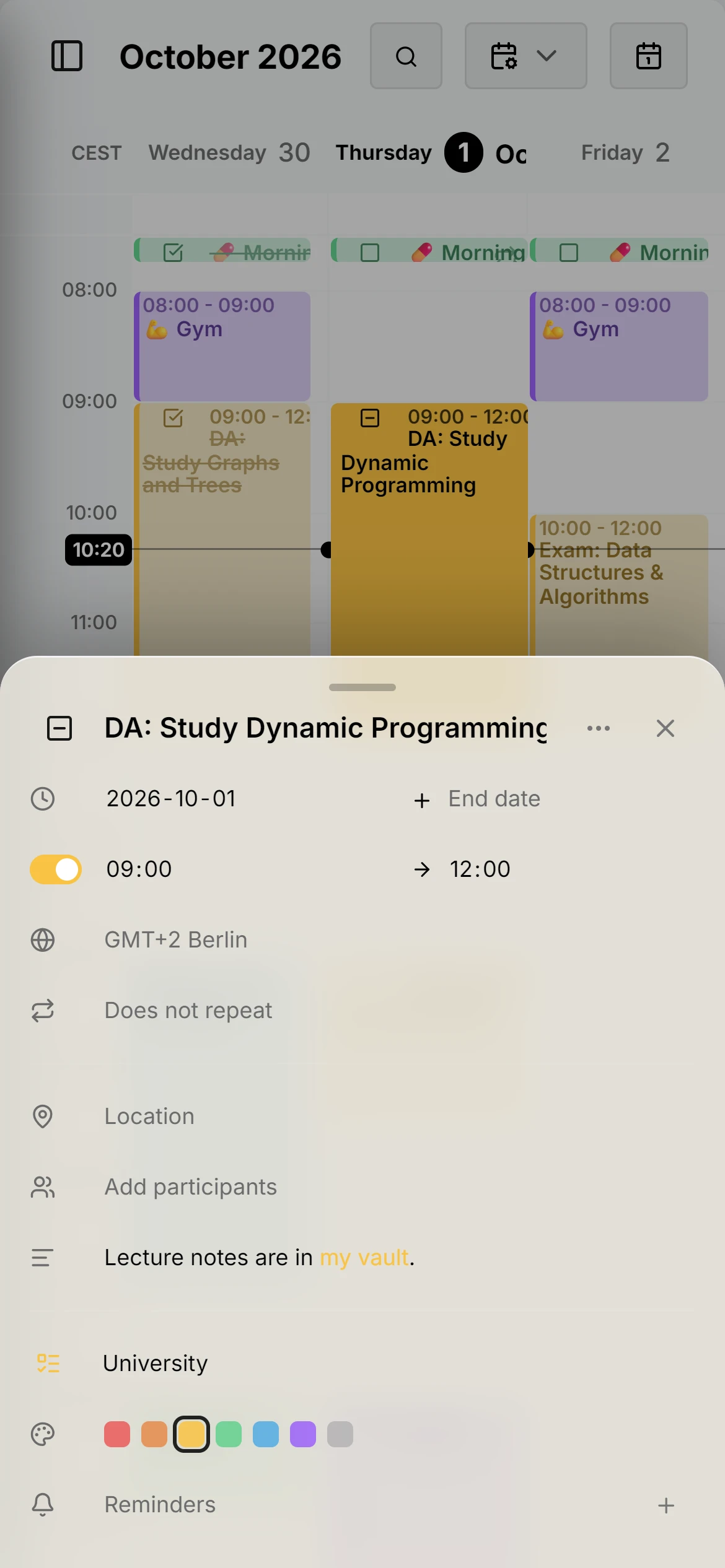
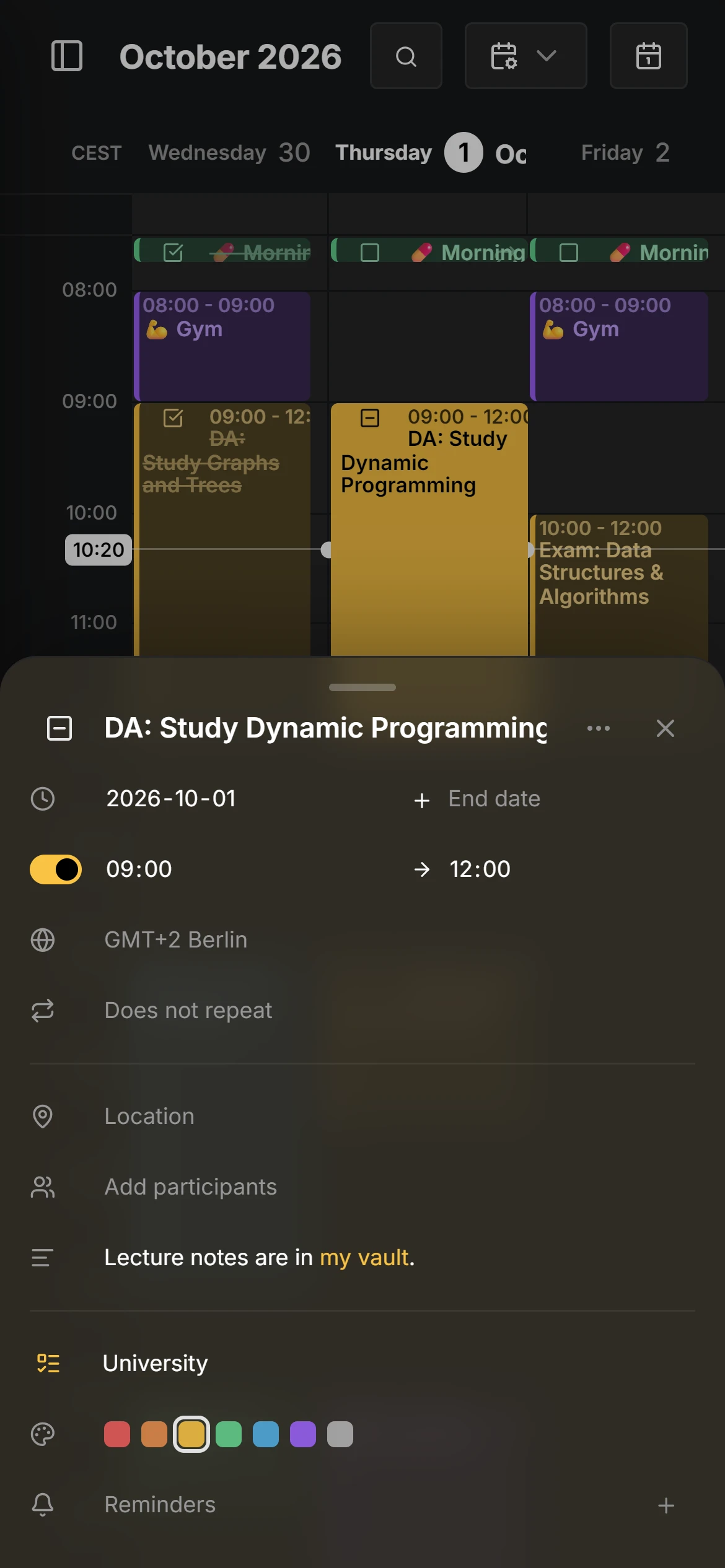
Lade Menschen zu einem Termin ein, sieh, wer zugesagt hat, und beantworte die Einladungen, die du bekommst, über die Kalender, die sie zustellen.
Zeitzonen pro Eintrag
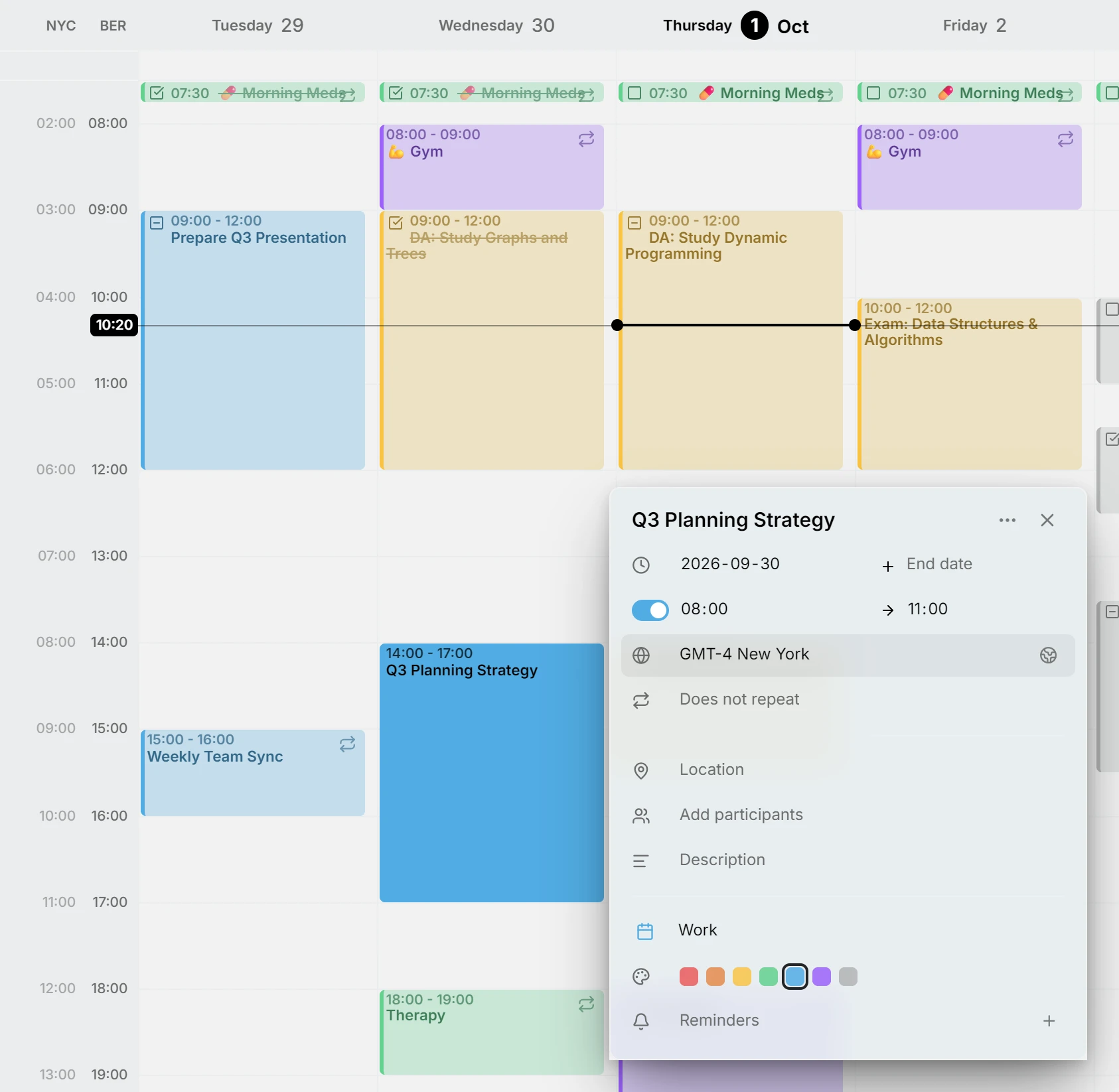
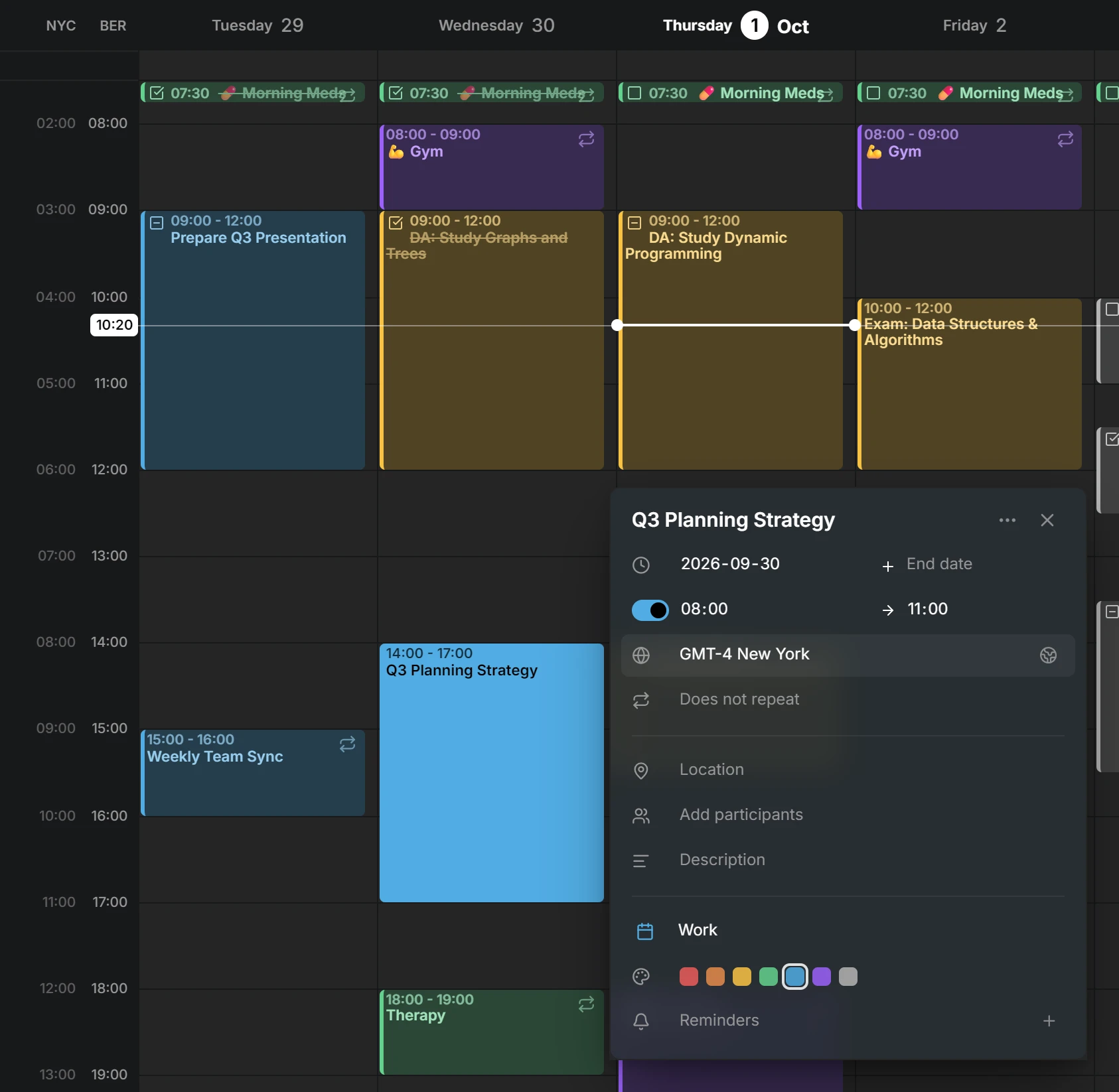
Ein Eintrag kann seine eigene Zeitzone behalten, etwa ein Flug, der in einer abhebt und in einer anderen landet. Die zusätzlichen Zeitzonen neben der Woche klappen weg und kommen per Wischen zurück, wenn du sie brauchst.
Verbesserungen für unterwegs
Der Editor öffnet sich als Sheet von unten, Einträge lassen sich per Touch und Stift verschieben und in der Größe ändern, und das Layout macht Platz für die Tastatur.
Update-Hinweis und Änderungsliste
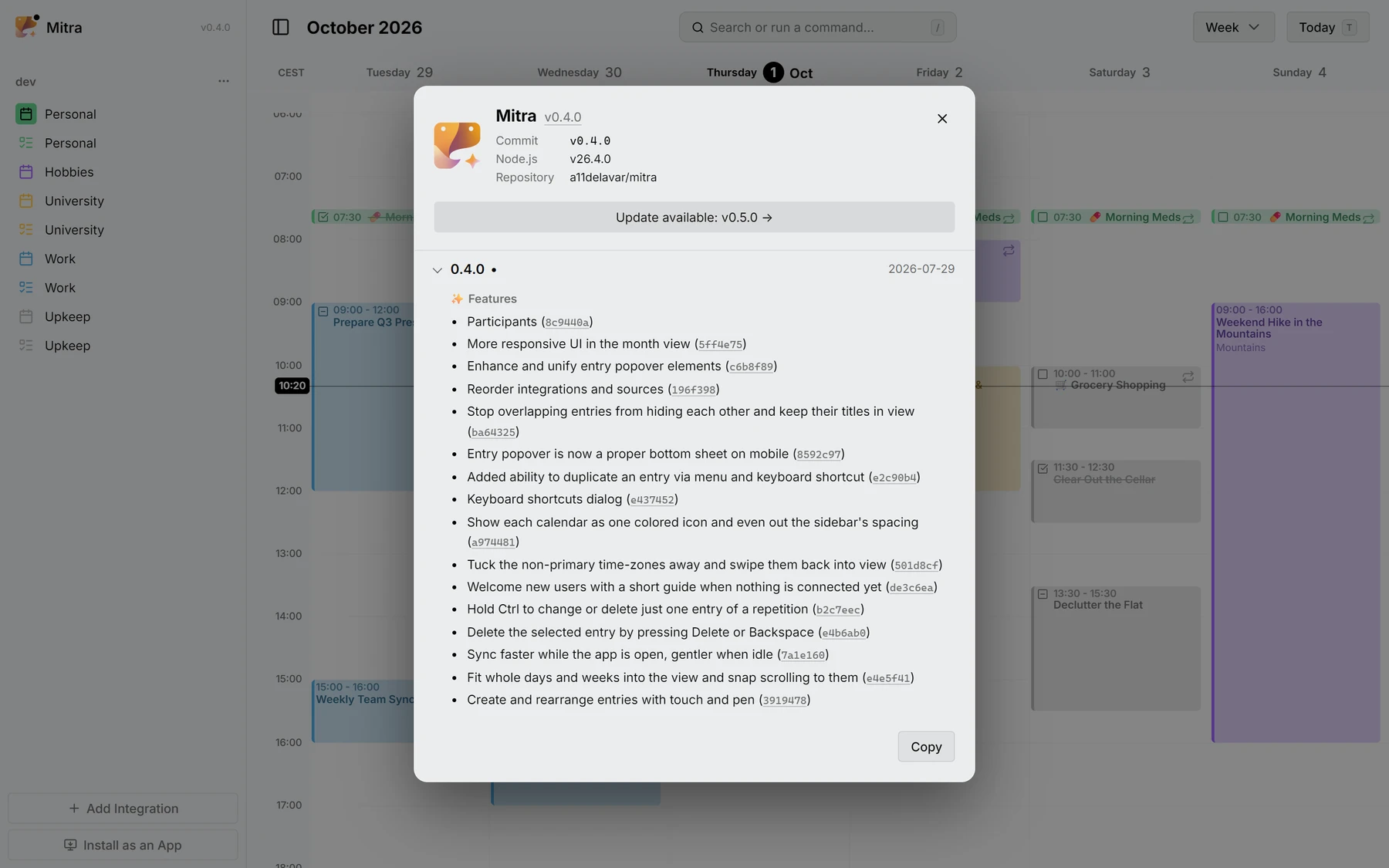
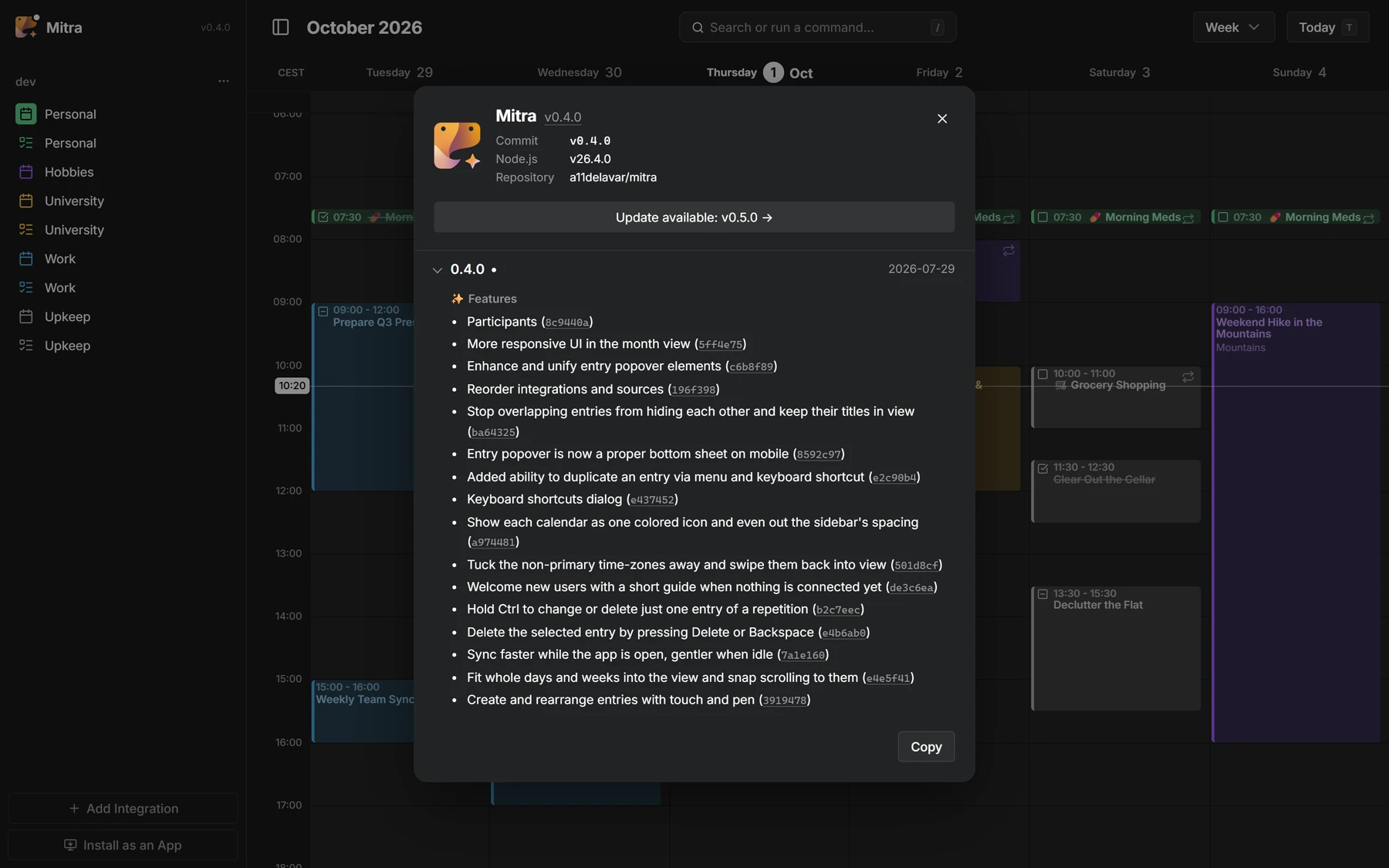
Ein Punkt zeigt dir, wenn eine neue Version erschienen ist, und der Dialog Über listet auf, was sich in jeder Version geändert hat, Commit für Commit.
Mitwirkende
 @a11delavar
 @d8monx
Alles in 0.4
32 Funktionen · 18 Verbesserungen · 2 Änderungen der Dokumentation · 2 Umbauten · 3 Wartungsänderungen
Funktionen
- Participants8c9440a
- More responsive UI in the month view5ff4e75
- Enhance and unify entry popover elementsc6b8f89
- Reorder integrations and sources196f398
- Stop overlapping entries from hiding each other and keep their titles in viewba64325
- Entry popover is now a proper bottom sheet on mobile8592c97
- Added ability to duplicate an entry via menu and keyboard shortcute2c90b4
- Keyboard shortcuts dialoge437452
- Show each calendar as one colored icon and even out the sidebar's spacinga974481
- Tuck the non-primary time-zones away and swipe them back into view501d8cf
- Welcome new users with a short guide when nothing is connected yetde3c6ea
- Hold Ctrl to change or delete just one entry of a repetitionb2c7eec
- Delete the selected entry by pressing Delete or Backspacee4b6ab0
- Sync faster while the app is open, gentler when idle7a1e160
- Fit whole days and weeks into the view and snap scrolling to theme4e5f41
- Create and rearrange entries with touch and pen3919478
- Redesign integration dialog as a two-step flow8609482
- Grow the all-day lane to fit its eventsdbfe125
- Blend the installed app into the window title bar95366db
- Release notes971c8b8
- Update indicatorb278da8
- Added the application logo and version to the sidebar17018ba
- Keep all-day bar titles visible while scrolled behind the time axis15421cf
- Float short contained events over their host instead of splitting widthdbac407
- Add an icon to recurring entries25cb60e
- Health endpoint55ff11c
- Add "Go to date" command8c0c06a
- Notion integration49e863d
- Entry time-zone selector8e55f79
- Year viewcf3d6fd
- Apple Calendar integration (#2)d1da646
- Google Calendar integrationdf27876
Verbesserungen
- Switch between calendar views smoothly, even with hundreds of entries2e9a53d
- Keep the all-day bar titles sliding, and let the lane fit its entriese179c98
- Let the on-screen keyboard shrink the layout47b5fd6
- Prevent the PWA rotating the screen unless auto-rotate is enabled33f857f
- Show a dragged all-day entry in the free row it lands in, not below every other oneba3dcc8
- Fix dragging entries to midnight not working08d47c4
- Hide task status and recurring icon in the yearly viewf528f91
- Keep the entry editor opening reliably when clicking an entryc8dd17e
- Keep occurrence deletions resilient on CalDAV backends7eee03b
- Fix switching views when renaming sourcesbb6c807
- Preserve locally renamed sources' name7bfd8ee
- Flow wrapping task title around the checkbox to use full widthea9cf53
- Give a minimum visible height to zero/no-duration timed entries4a8724c
- Guard DayDensityController against transient tiny-viewport collapsea7f369e
- Scope entry search to the requesting user's sourcesbc37f2d
- Preserve recurring events' wall-clock time across DST transitions876f7fc
- Make all-day events render on the same dates in every timezone1c5264d
- Preserve occurrence count when splitting a series with "this and following"961cfcd
Dazu 3 Wartungsänderungen auf GitHub: Tests, Builds und Pflege.